Accounting & Financial Operations

    Operations Drive Accounting. Automatically.

    When you buy feed, sell an animal, or move cattle between pastures, the accounting happens automatically. No double entry. No reconciliation headaches.
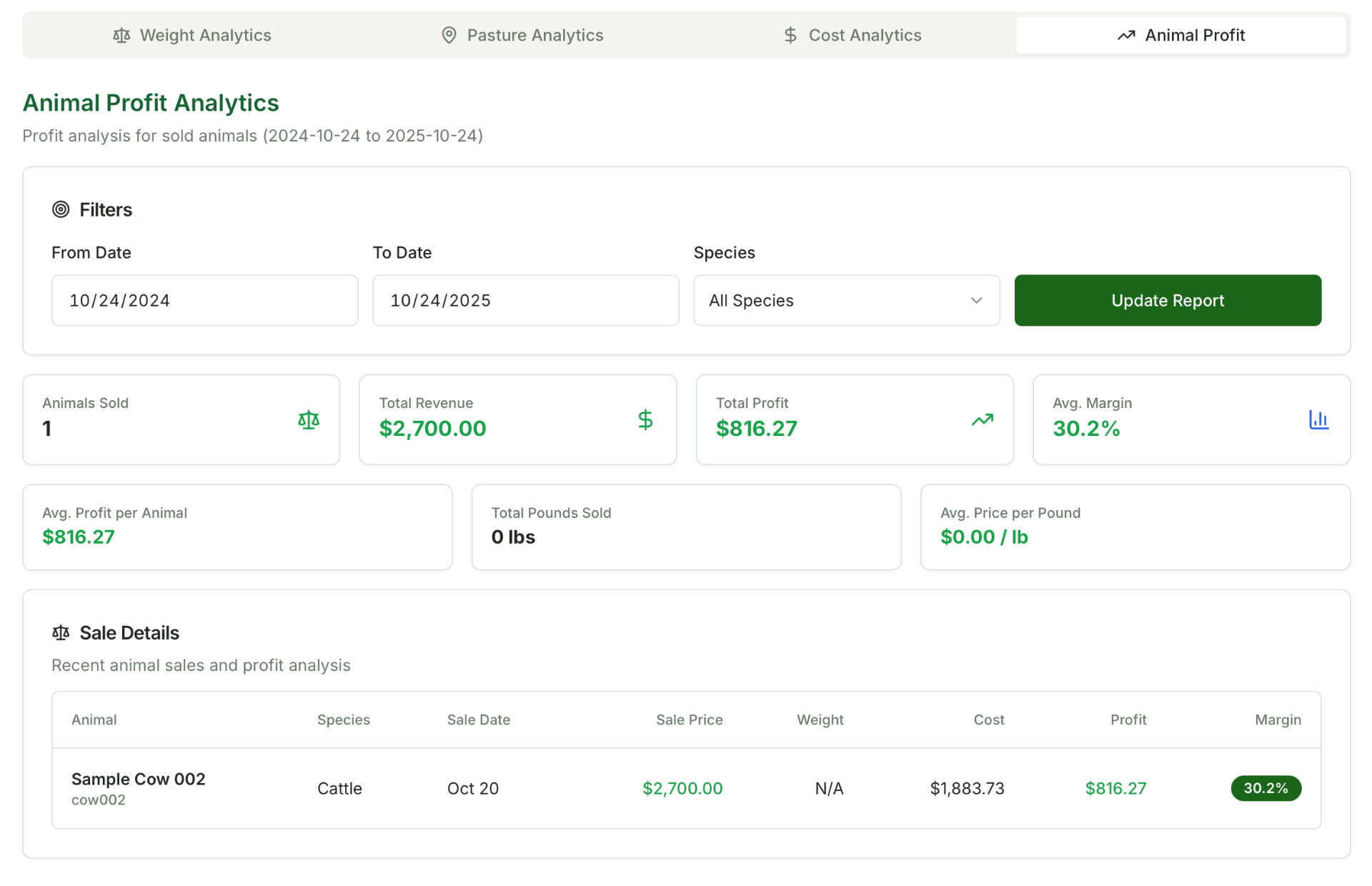
    No separate accounting software needed
    True cost per head visibility
    30 Days Free
    Financial Management Dashboard

    Your Operations Create Your Books

    Every operational event automatically generates the correct accounting entries. You review and approve, but you don't have to build them manually.

    When This Happens...BarnFront Creates...
    Animal purchase
    Asset + cash/AP entry created
    Animal sale
    Revenue + COGS + cash entry
    Feed or supply purchase
    Inventory or expense entry
    Treatment recorded
    Cost linked to animal
    Pasture movement
    Grazing days calculated for allocation
    DTC order completed
    Revenue + tax payable + inventory reduction
    Depreciation schedule
    Monthly journal entries posted

    Every automation is visible, reviewable, and reversible. You stay in control.

    Buy Cattle. Your Books Follow.

    Watch a cattle purchase post itself to the right accounts, update your animal costs, and keep your records straight without a second entry.

    Accounting Built for Agriculture

    Not generic accounting software adapted to farms. Purpose-built for livestock operations with the depth accountants and lenders expect.

    Cash or Accrual Basis

    Choose the accounting method that works for your operation

    AI Receipt Extraction

    Upload receipts. Vendor, items, and amounts extracted automatically.

    Cost Allocation

    Allocate feed, land, and overhead costs to animals automatically

    Financial Reports

    Balance Sheet, P&L, and Cash Flow ready for lenders

    $15K
    Average hidden costs identified
    95%
    Faster month-end close
    100%
    Lender-ready documentation

    Know Your True Cost Per Head

    Feed, health, land, and overhead: all allocated to the animals that consumed them. BarnFront calculates the allocations, and you approve before they post.

    Feed & Supply Allocation

    Allocate feed costs based on consumption, head count, or weight. Track by animal or group.

    Land & Grazing Costs

    Allocate pasture costs based on Animal Unit Days. BarnFront tracks grazing automatically.

    Overhead Distribution

    Spread fixed costs across your operation based on the method that makes sense for you.

    Cost Per Head Example

    Purchase Cost$850.00
    Feed (allocated)$312.45
    Health & Treatments$47.80
    Grazing (AUD-based)$89.20
    Overhead$65.00
    Total Cost$1,364.45

    Upload a Receipt. Get a Journal Entry.

    Take a photo of any receipt. BarnFront extracts the vendor, line items, quantities, and amounts, then suggests the right accounts. You approve once, and it posts.

    1

    Upload

    Take a photo or upload a PDF of your receipt

    2

    Review

    Check the extracted data and suggested accounts

    3

    Approve

    One click to post the journal entry to your books

    Frequently Asked Questions

    Get answers to common questions about ranch accounting and financial management.

    A Chart of Accounts (COA) is the foundation of your ranch's accounting system. It's a complete listing of all accounts used to organize your financial transactions, including five main account types: Assets (what you own), Liabilities (what you owe), Equity (your ownership stake), Revenue (income from sales), and Expenses (costs of running your operation). Each account has a unique code and name.

    You can import your Chart of Accounts using our Excel or CSV template during the accounting onboarding process. Download the template from the Accounting Settings page, fill in your accounts with code, name, type, and optional hierarchy information, then upload and validate. The system will check for errors before importing.

    BarnFront provides standards-based financial reports. From the Finance section, you can access Balance Sheet (assets, liabilities, and equity at any point), Profit & Loss Statement (revenue, expenses, and net income over a period), and Cash Flow Statement (money movement tracking). Reports can be generated for your entire organization or filtered by specific ranch.

    When you upload a receipt through the Accounting section, our AI extracts vendor info, invoice details, and line items. Items are automatically categorized (livestock, equipment, feed, medicine, supplies), matched against existing inventory, and given suggested expense categories. The system also warns about potential duplicates. Once approved, journal entries are created automatically.

    BarnFront supports Cash Basis (record income when received, expenses when paid), Accrual Basis (record income when earned, expenses when incurred), and Modified Cash (a hybrid approach). You can configure your preferred method in Settings → Accounting Settings.

    Export your Chart of Accounts and Balance Sheet from your current software, then import them into BarnFront. Set your cutover date to the first day of the next month after your final close. BarnFront offers specialized livestock asset tracking and operational integration that general accounting software lacks.

    Consumption categories control how asset usage is expensed. When you use items (feed, medicine, supplies), the category determines which expense account is debited. For accrual basis, items classified as inventory appear on the balance sheet until consumed. For cash basis, items are expensed immediately with optional operational tracking.

    Access to financial features is controlled by your organization owner. If you don't see these sections, you may not have financial viewing permissions. Contact your organization owner to request access. There are two permission levels: View Financials (see all data and reports) and Edit Financials (make changes and approve transactions).

    Stop Entering Everything Twice

    Operations and accounting in one system. Know your true costs. Try free for 30 days.